Create Music Videos
Turn a still image into a singing or talking performance that matches your audio.
- Songs and vocal tracks
- Voiceovers and narration
- Karaoke-style clips and hooks

You don’t have enough credits to complete this request.As a subscription member, you can buy one-time lifetime credits that never expire—no subscription and no auto-renewal. Use them anytime to create songs, instrumentals, or music content.
AIMusicGen.net turns your song, beat, voice note, or podcast clip plus a single image into an AI lip sync music video with subtitles. No video editing, just upload, trim, and download short vertical clips built for TikTok, YouTube Shorts, Instagram Reels, and other feeds.
Click to upload or drag audio here
MP3, WAV (max 10 minutes)Upload a song, vocal track, voiceover, or podcast clip. Max video: 60s.
Billed by saved audio length in 5-second increments. 720p costs 2× 480p.


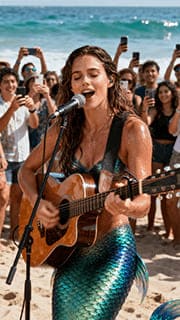



Most musicians and creators finish the audio but never get to video. AIMusicGen.net lets you take any track or vocal and a single image and turn them into vertical music clips that look native to TikTok, Reels, and Shorts.
Your music, hook, vocal, or spoken audio as MP3/WAV — from full songs to short intros or podcast moments.
AIMusicGen.net turns that photo and audio into short vertical clips (up to 60 seconds) with AI lip sync and on-screen text. A few seconds of audio generates in under a minute in most cases; longer segments take more time. Once your video is ready, post it directly as a TikTok video, YouTube Short, Instagram Reel, or Facebook Story.
Upload your audio, choose a vertical photo, trim the best 10–60 seconds of sound, and let AIMusicGen.net handle the AI lip sync and subtitles. In a few guided steps, you go from a raw song or voice track to a vertical AI music video that is ready to share.
First, upload your audio and trim it. Enter a simple prompt and choose a resolution to finish.
Advanced AI analyzes and synchronizes facial movements with music
Our AI lipsync engine matches lip shapes, expressions, and timing to every word.
Download your vertical AI music video with subtitles, ready for social media.
Turn a still image into a singing or talking performance that matches your audio.
Create clean on-screen subtitles automatically—no manual typing needed.
Generate natural mouth shapes and facial movement that stay in sync with every word.
Add lively motion so your character looks like they’re performing to the beat.
Use a character or brand mascot as your on-screen performer—no real face required.
When you create a video using AIMusicGen.net-generated music or your own uploaded audio, you need to set a Trim Start time and a Trim End time. The Trim End time is critical. Set the end point after a lyric line or spoken sentence fully finishes. If you cut too early, your generated video may end in the middle of a lyric or sentence. Also, match your audio and photo for the best result—if your track has a female voice but your photo is male, the video can look like a man singing with a female vocal.
Yes. You can generate a music video from an instrumental track you created on AIMusicGen AI or an instrumental track you upload. In the Audio Language dropdown, select Instrumental (No Vocals). Please note that instrumental-only music videos do not include captions.
It’s an online tool that turns one audio file and one image into a short vertical video. AIMusicGen.net combines your sound with AI lip sync and captions so you can publish music clips that look made for TikTok, Reels, and Shorts.
It works with songs, beats, vocals, spoken messages, and podcast segments. As long as your audio is clear, AIMusicGen.net can turn it into an AI music video or talking-photo clip.
Each AIMusicGen.net video can be up to 60 seconds long, which fits the sweet spot for TikTok, YouTube Shorts, Instagram Reels, and other short-form formats.
For audio, you can upload common formats like MP3 or WAV. For images, JPG and PNG are supported. A clear, vertical photo with the face fully visible usually gives the best AI lip sync results.
AI lipsync means the system analyzes your audio and generates video frames where the mouth, face, and upper body move in sync with each word and beat. It makes your photo look like it is actually talking or singing your track.
Yes. AIMusicGen.net can create caption-style text on top of your video, similar to lyric videos and TikTok caption overlays. It supports 30+ languages, provided your audio is clean and intelligible.
Yes. The tool is built around vertical short-form clips. You can download your AI music video and upload it to TikTok, YouTube Shorts, Instagram Reels, Facebook Stories, and other platforms that support vertical video, while following each platform’s content and copyright rules.
In many situations you can use your videos commercially, especially if you own the rights to your audio and images. You are responsible for ensuring that all music, voices, and visuals used in AIMusicGen.net comply with copyright law and with our terms and the policies of each platform.
No. You can use avatars, illustrations, logos, or any character image you have rights to. Many creators use AIMusicGen.net as a virtual singer or talking-photo generator so they can stay off camera while still posting engaging content.
If a music video fails because of a technical issue on the AIMusicGen.net side, the credits used for that attempt are automatically returned to your account. You only spend credits on successful AI music video generations.
Write or upload your music on AIMusicGen.net, then send your favorite part into the AI Music Video Generator to turn one photo into a vertical clip. From idea to audio to short-form video, everything stays in the same workflow.